✨ Free for iPhone and iPad · Public beta

Light up Come, Follow Me, in class and at home.

Gospel Sparks hands Primary and youth teachers a complete, fun 25-minute lesson every week, with games the whole class can play. Families get a short spark to do together each day, so home matches what kids learn at church.

Not on the App Store yet. TestFlight is Apple’s free app for trying betas. How to join

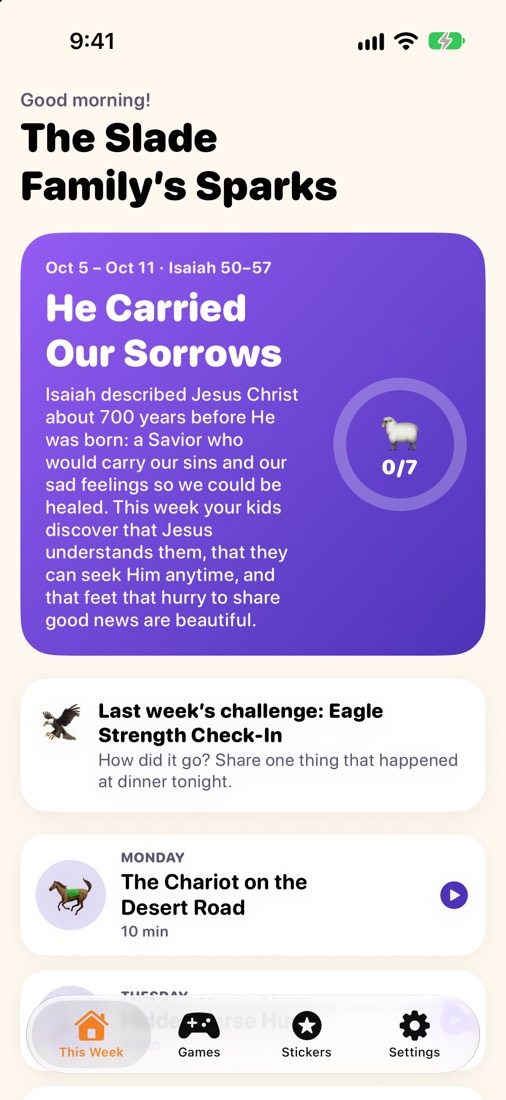
The Family side: The Slade Family’s Sparks for the week of Isaiah 50–57, with last week’s challenge check-in and Monday’s spark.
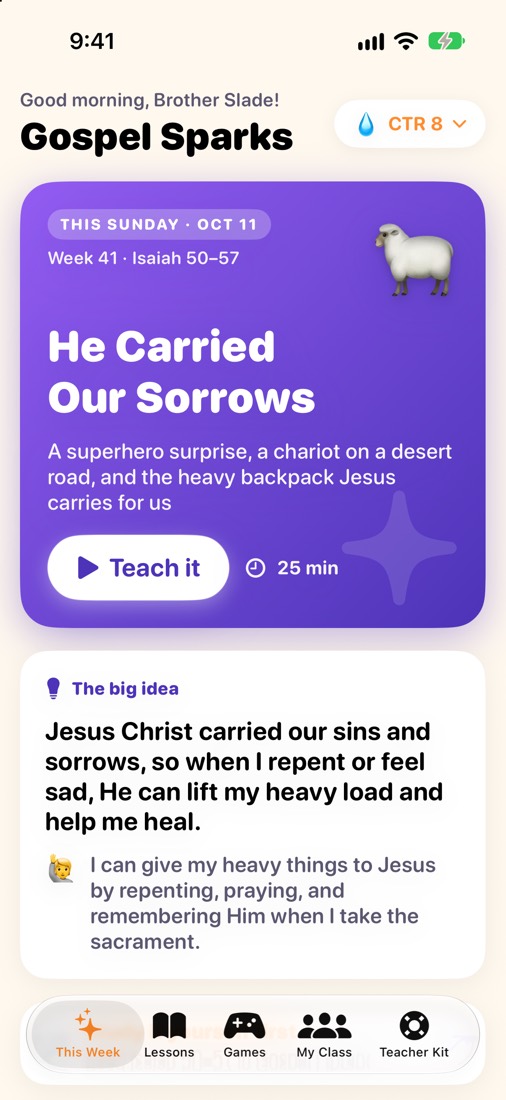
The Teacher side: this Sunday’s CTR 8 lesson, “He Carried Our Sorrows,” with a Teach it button and the big idea.
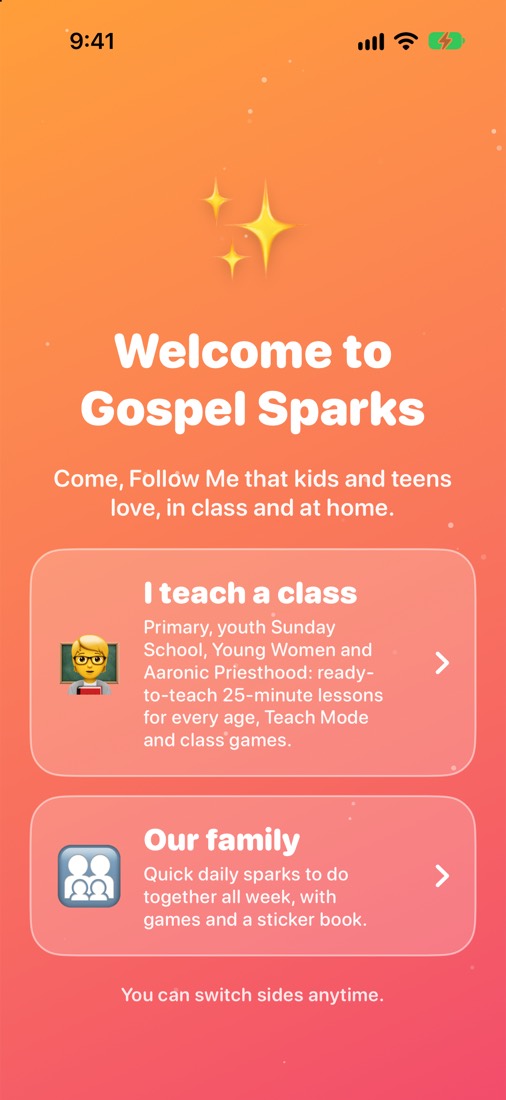
Welcome to Gospel Sparks: choose “I teach a class” or “Our family.”
Two sides, one app

Pick your side. Switch anytime.

The first time you open Gospel Sparks it asks one question: do you teach a class, or are you leading your family at home? Many people do both.

I teach a class

For Primary teachers and youth teachers and leaders.

  • A ready-to-teach 25-minute Come, Follow Me lesson every week, with “Say:” lines you can read straight from the screen.
  • Teach Mode puts the story, pictures and key verse on the class screen, one step at a time.
  • “What did you bring?” re-plans the lesson around the supplies you actually have.
  • Seven whole-class games and a kit of classroom helpers for wiggly rooms.
  • A class list with helper jobs, plus private after-class notes.
Our family

For parents leading Come, Follow Me at home.

  • A short daily spark all week: a story, a verse, a game or a question to do together.
  • Add your kids’ ages and each spark shows tips for little ones, big kids and teens, with something for grown-ups too.
  • A Parent Corner, dinner-table questions, a sticker book and family game night.
  • Check in on last week’s family challenge.
  • Stories and games come from each child’s own Primary or youth lesson, so home matches Sunday.
For teachers

Sunday, ready in minutes.

Every lesson follows the week’s Come, Follow Me reading and is built for a real classroom: move every few minutes, give every child a part, and land quietly on Jesus Christ.

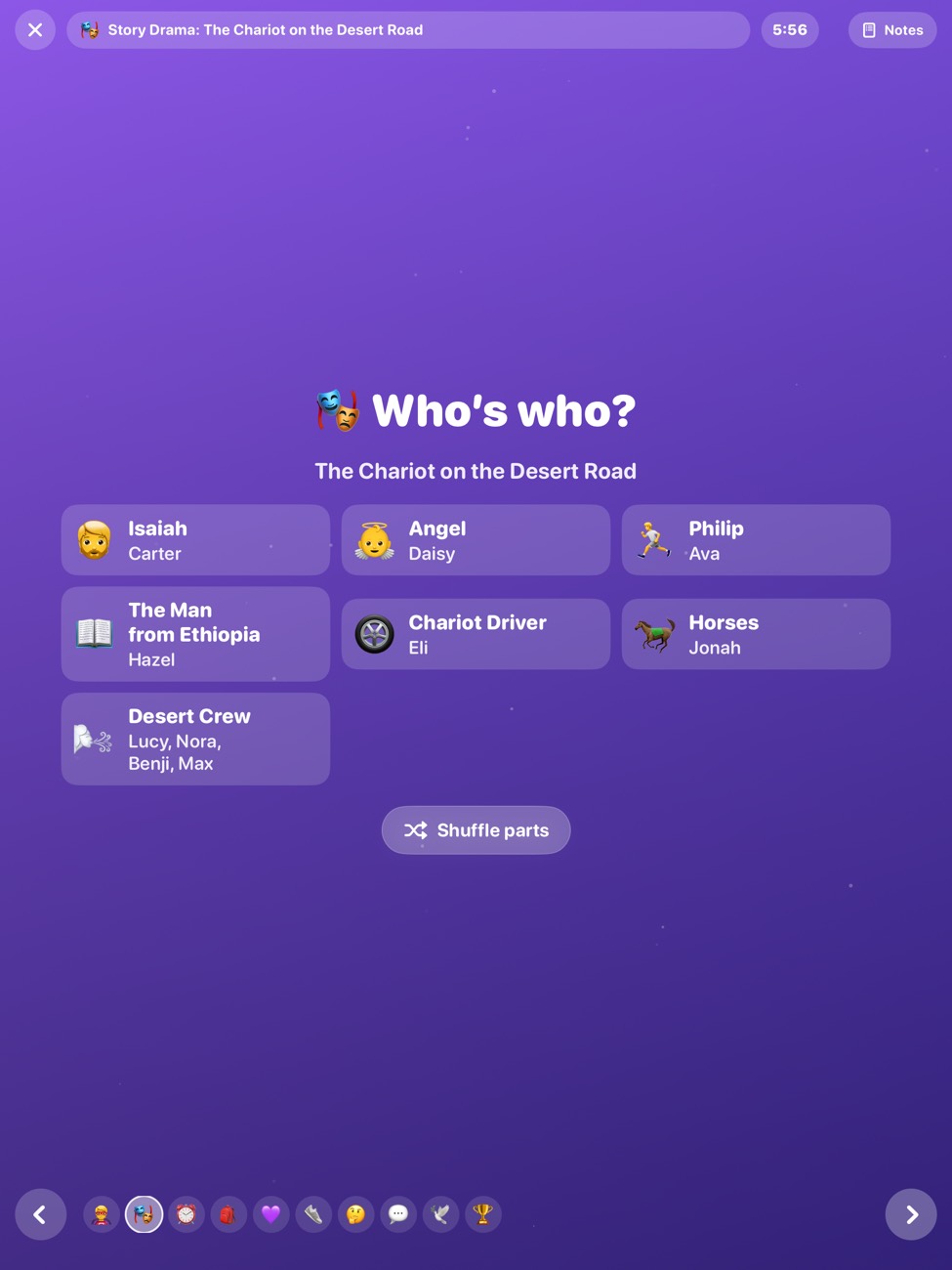
Teach Mode on iPad: “Who’s who?” hands every child a part in the story drama of Philip and the chariot.
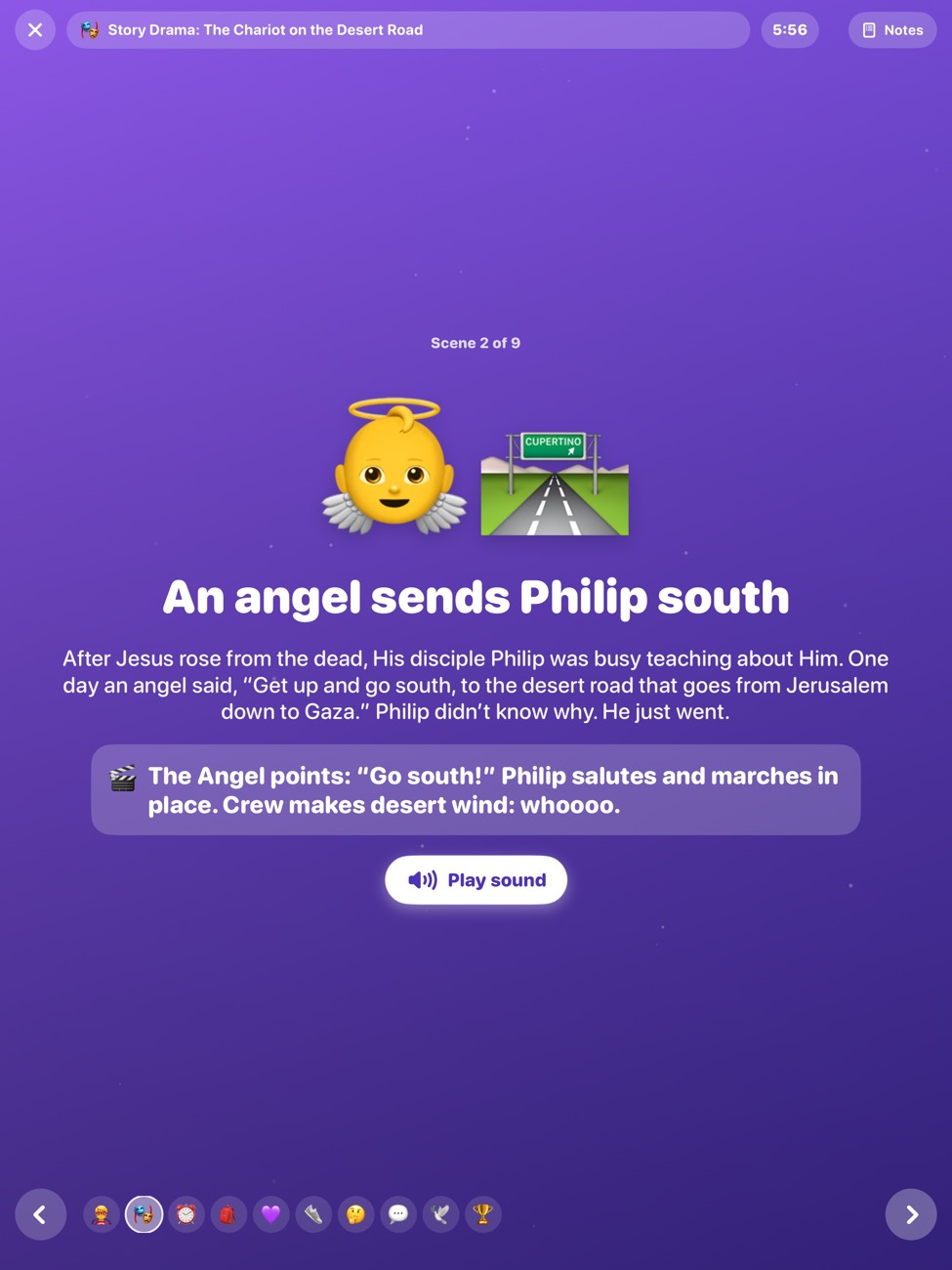
Teach Mode on iPad: a story scene, “Go near that chariot!”, with a short narration and an action for the class.
  • Teach ModeHold up the iPad or iPhone and the class sees big pictures, short headlines and the story scene by scene, while you keep your notes and a step timer.
  • Story drama with a part for everyoneHand out roles from your class list with one tap, then act out the scriptures together.
  • Class list and helper jobsFirst names only. Hand out jobs, pick a Mystery Helper, make fair teams.
  • After-class notesJot down what worked and who needs a check-in. Only you can see them.
  • Text the parentsShare a short note about the lesson and the week’s challenge with families.
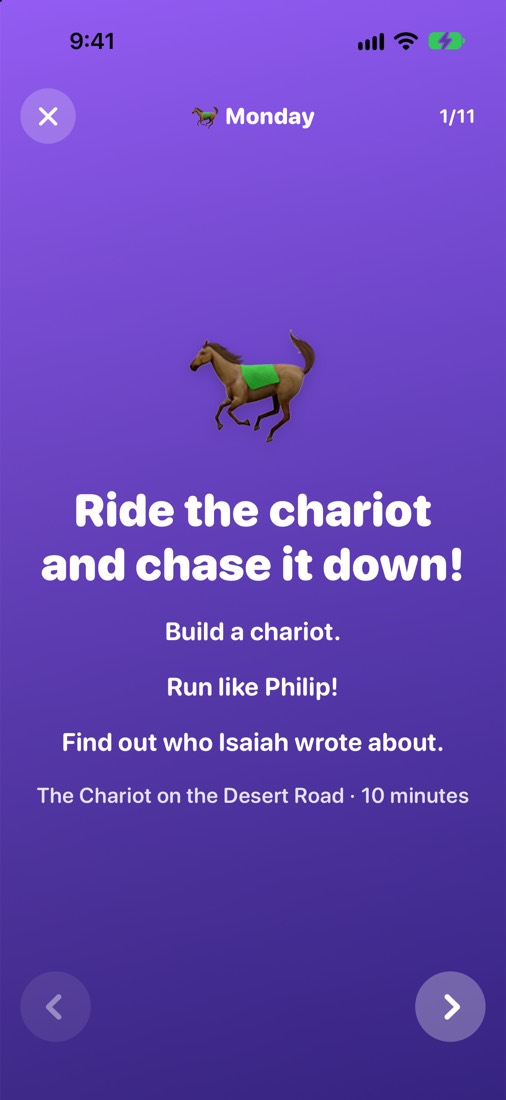
Monday’s family spark: “Ride the chariot and chase it down!” Build a chariot, run like Philip, and find out who Isaiah wrote about.
The family’s week: this week’s theme, a progress ring for seven days, last week’s challenge and a spark for each day.
For families

A little spark every day.

Each spark takes five to ten minutes. Open the day, follow the plan, tap “We did it!” and add a sticker to the family’s book.

  • Tailored to your kids’ agesToddlers to teens: enter ages once and every spark shows tips for the ages you have, plus a note for grown-ups.
  • Parent CornerSomething to ponder and something to try, with the week’s reading one tap away in Gospel Library.
  • Dinner-table questionsEasy conversation starters for the whole table.
  • Sticker book and family gamesKids collect a sticker for every spark, and game night uses the same words and questions as their class.
  • Last week’s challengeA quick check-in on how the family challenge went.
The Game Room

Games the whole class plays together.

One screen, a room full of kids, and questions and words pulled from this week’s lesson.

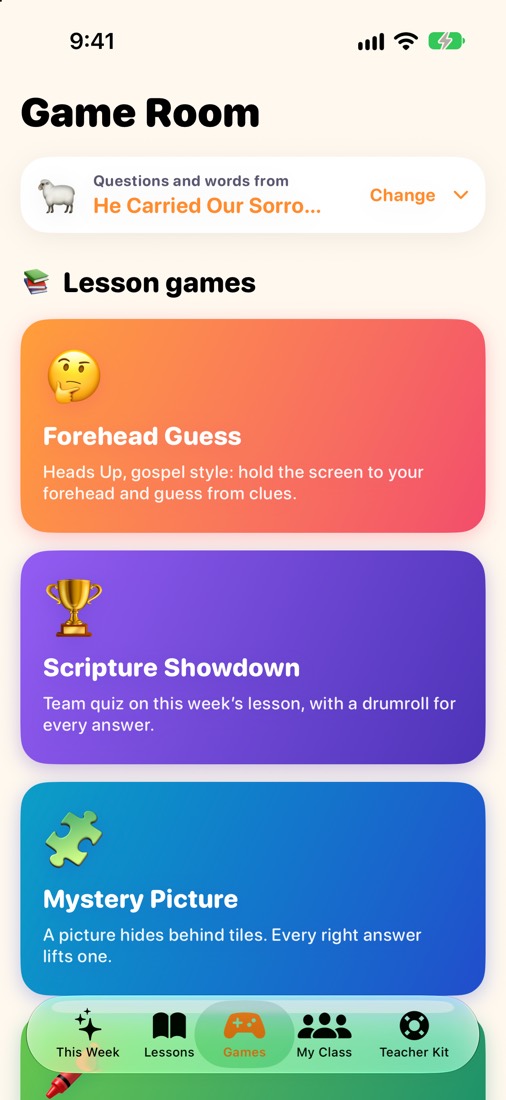
Forehead Guess

Heads Up–style: hold the screen to your forehead while everyone gives clues with lesson words.

Scripture Showdown

A team quiz on the week’s lesson, with a drumroll for every answer.

Mystery Picture

A picture hides behind tiles. Every right answer lifts one.

Draw & Guess

One person draws, everyone guesses, all with words from the lesson.

Hot Potato

Pass it while the music plays. Holding it at the buzz? You answer.

Tug of War

Two teams tap their side as fast as they can to pull the rope.

Freeze Dance

Dance while the music plays. When it stops, freeze!

🎡 Name spinner 🫙 Goal jar 🐭 Noise meter ⏱️ Big timer 🔊 Sound board 🤸 Wiggle breaks 🌬️ Calm-down cards 📣 Attention getters
The Game Room: Forehead Guess, Scripture Showdown and Mystery Picture, using this week’s lesson.
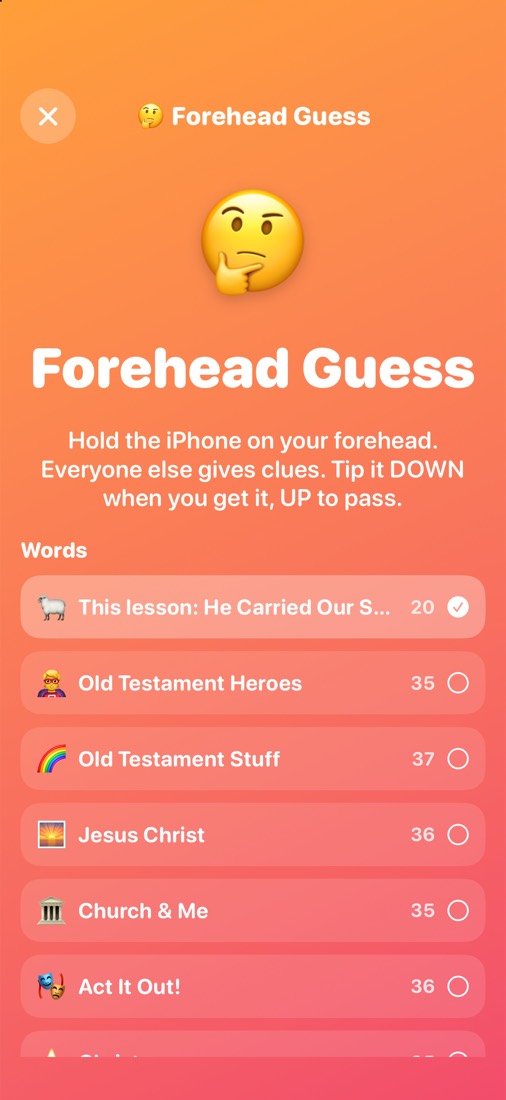
Forehead Guess: hold the iPhone on your forehead, tip it down when you get it and up to pass. Word decks include this week’s lesson.
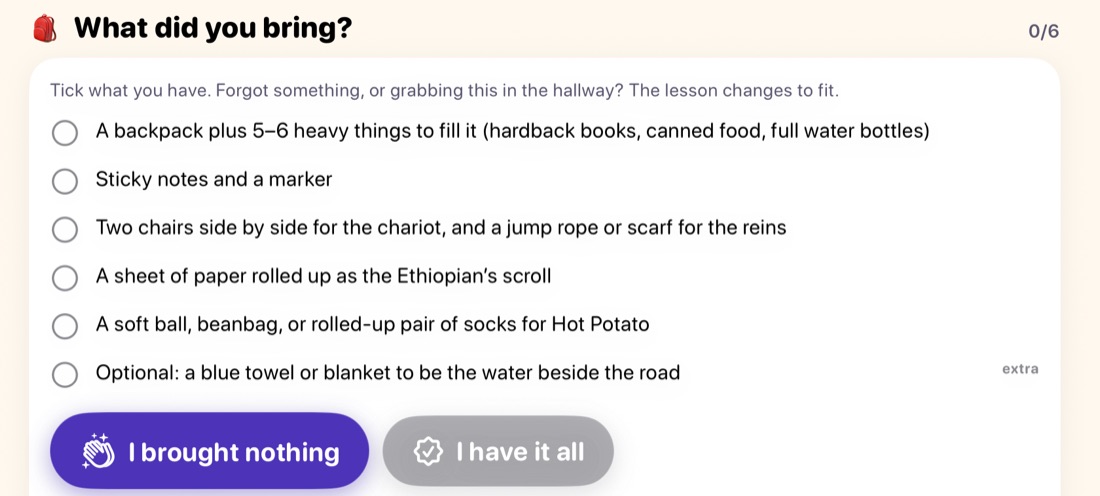
“What did you bring?” A supply checklist with buttons for “I brought nothing” and “I have it all,” and a switch to plan around what you brought.
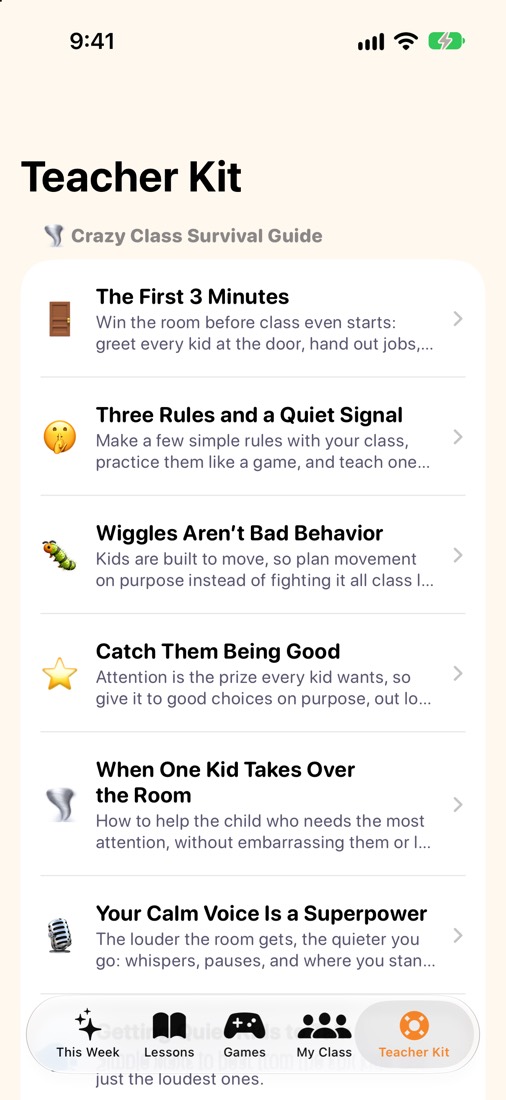
The Teacher Kit: a Crazy Class Survival Guide with tips like The First 3 Minutes and Wiggles Aren’t Bad Behavior.
Meets you where you’re at

Forgot the supplies? Still a great lesson.

Real Sundays are messy. Maybe you’re reading the lesson in the hallway five minutes before class, or the backpack of props is still on the kitchen counter. Gospel Sparks bends to fit.

  • “What did you bring?”Tick what you have. Brought nothing at all? One tap swaps in no-supplies versions of the steps that needed them, and the lesson still fits the time.
  • Only have 5 minutes?Every lesson has a short version for when time runs out.
  • If your class is wildLesson-specific ideas for a room that won’t settle, plus a survival guide for teachers.
  • Got extra time?Bonus steps and extra games are ready when class runs long.
Ages covered

From Sunbeams to seniors in high school.

Each class gets its own lesson, pitched to how kids that age learn, from picture-and-action stories for three-year-olds to real discussion for older youth.

Classes with weekly lessons

  • ☀️ SunbeamsAge 3
  • 🛡️ CTR 4–7Ages 4–7
  • 💧 CTR 8Age 8
  • ⭐ Valiant 9–11Ages 9–11
  • 🧭 Youth 11–14Sunday School, Young Women, Aaronic Priesthood
  • 🔥 Youth 14–16Sunday School, Young Women, Aaronic Priesthood
  • 🏔️ Youth 16–18Sunday School, Young Women, Aaronic Priesthood

Family sparks for every age

🧸 Little ones 🎒 Kids 📚 Big kids 🧑 Teens ☕️ Grown-ups

Weeks in the app

  • Old Testament 2026Weeks 40–52, from late September through December 2026.
  • New Testament 2027From the first week of 2027 through Easter.
  • Primary fast-Sunday lessonsThe 2027 fast-Sunday lessons along the way, flagged on the week they’re taught.
  • More on the wayNew weeks arrive in app updates.
Made with care

Faithful, careful and private.

Scripture you can trust

Bible quotations are from the King James Version, the Latter-day Saint edition, and are checked word for word. General conference quotes are checked against the talk. Every reference opens in Gospel Library.

Independent and original

Gospel Sparks follows the Come, Follow Me schedule and links to the official manuals, but the activities, games and wording are our own. It isn’t made, sponsored or endorsed by The Church of Jesus Christ of Latter-day Saints.

Private by design

No accounts, no ads, no analytics and no tracking. Your class list, notes and family progress stay on your devices and, if you turn sync on, in your own iCloud. Privacy policy

Questions

Frequently asked

How do I get Gospel Sparks?

Gospel Sparks is in a public beta and isn’t on the App Store yet. On your iPhone or iPad, open the TestFlight invitation. If you don’t have Apple’s free TestFlight app, the page links to it. Then tap Accept and Install. Step-by-step help

Can I use Gospel Sparks without the app?

Yes. Every lesson, family week and classroom idea is on this website too, with Forehead Guess and Scripture Showdown you can play in any browser. Start with This Week. The app adds Teach Mode, all seven class games, “What did you bring?”, your class list and the family sticker book.

How much does it cost?

Nothing. Gospel Sparks is free, with no ads and no in-app purchases.

Which classes does it cover?

Every Primary class with weekly lessons: Sunbeams, CTR 4–7, CTR 8 and Valiant 9–11. Youth lessons cover ages 11–14, 14–16 and 16–18 and work for youth Sunday School, Young Women classes and Aaronic Priesthood quorums.

Which weeks are included?

Old Testament 2026 weeks 40–52 and New Testament 2027 through Easter, plus the 2027 Primary fast-Sunday lessons in that stretch. New weeks arrive in app updates.

Does it replace the Come, Follow Me manual?

No. Start with the official manual and the scriptures. Gospel Sparks follows the same weekly reading and links straight to the manual and Gospel Library; its activities, games and stories are original ideas to help the lesson come alive.

Is this an official Church app?

No. Gospel Sparks is an independent app from Strategy Loom LLC. It isn’t made, sponsored or endorsed by The Church of Jesus Christ of Latter-day Saints.

Which Bible text does it use?

The King James Version, the Latter-day Saint edition. Scripture and general conference quotes are verified word for word, and every reference opens in Gospel Library.

Do I need an account? Where do my class names go?

No account is needed. Names, notes and progress stay on your device. If Sync with iCloud is on, they also sync to your other devices through your own iCloud. Nothing is ever sent to us.

iPhone or iPad?

Both. An iPad makes a great class screen for Teach Mode and the games, but everything works on iPhone too. Gospel Sparks needs iOS or iPadOS 26 or later.

I teach and I’m a parent. Can I use both sides?

Yes. Switch sides anytime from the Teacher Kit or the family Settings tab.

Try Gospel Sparks this Sunday.

Join the free public beta on your iPhone or iPad and have this week’s lesson ready to teach in minutes.

Join the beta on TestFlight

Questions? team@strategyloom.com